 MUT


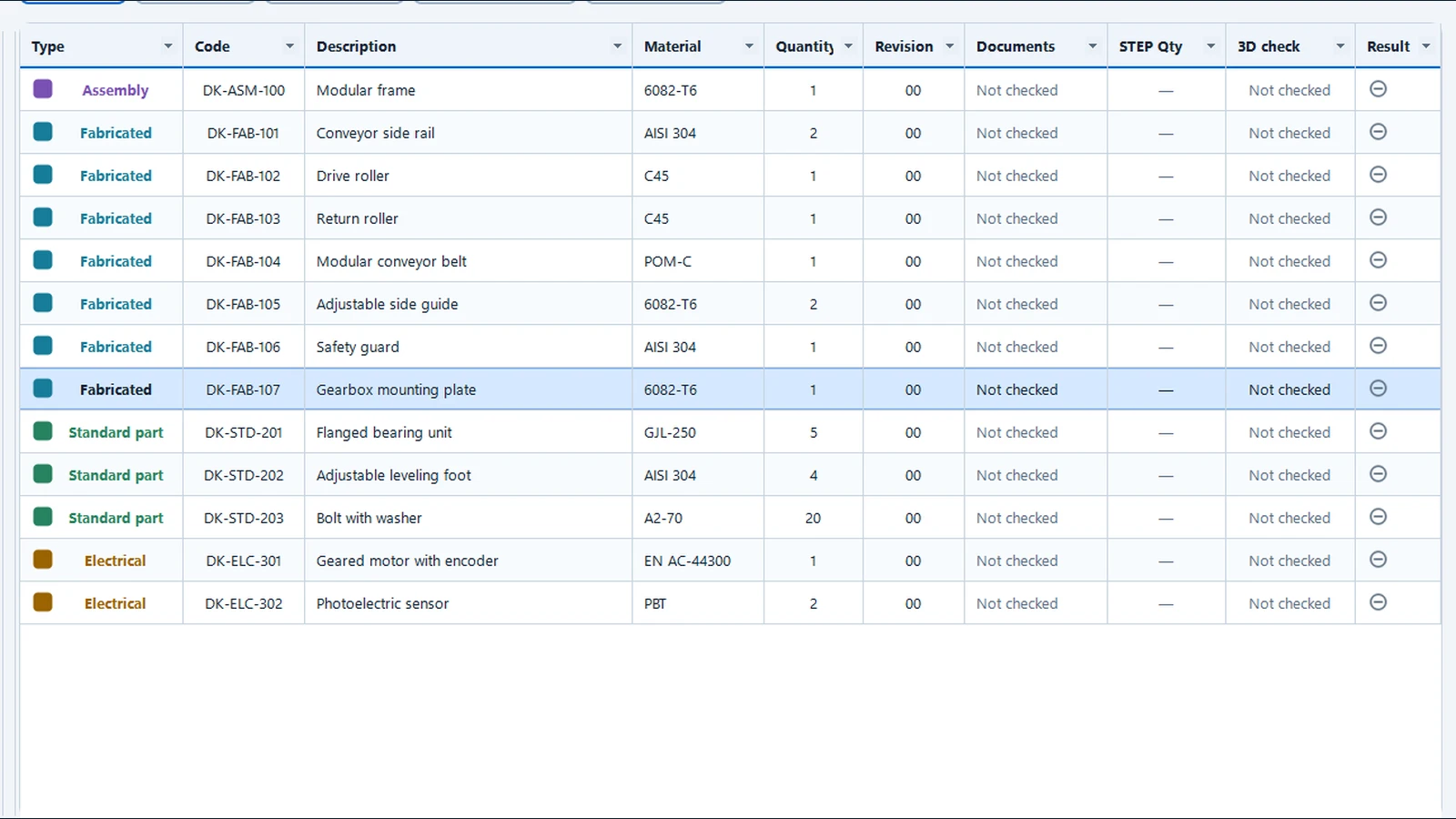
BOM, STEP and drawings
Trace a component from BOM to drawing
Cross-check part numbers, quantities and revisions. Open the model and linked files to verify the result.
BOM, STEP and technical documentation checks for engineering teams
MUT Inspector checks that the bill of materials, STEP model and technical documentation agree before a job goes to production. It applies your rules, identifies the component to correct and stops export if a blocking error is found.
Define the checks, required documents and errors that block release.
Load the BOM and 3D model. MUT matches components by part number.
Check quantities, revisions and documents. Correct the source files and run the analysis again.
Generate a new Excel file with the fields and columns your ERP requires.
A missing part at assembly, an outdated drawing on the shop floor or an omitted surface treatment can mean rework. See the checks on a sample job.
BOM, STEP and drawings
Cross-check part numbers, quantities and revisions. Open the model and linked files to verify the result.
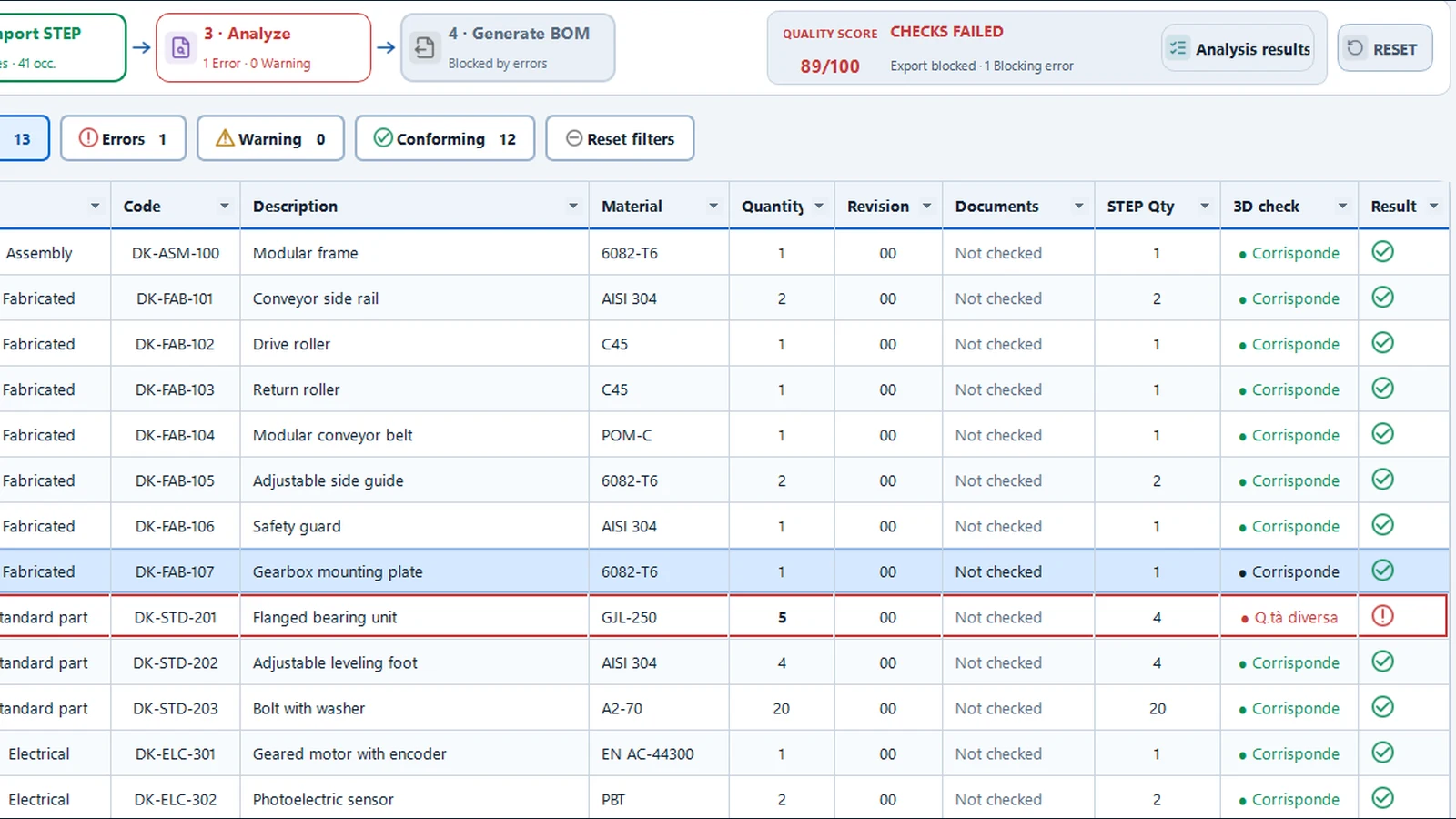
Release errors
MUT shows the part number, BOM row and reason. Blocking checks prevent export until the BOM is corrected.
STEP interferences
Select the clash in the results table to see the components and the overlap volume in the model.
STEP, DWG and DXF measurements
The example measures the mounting plate hole on the actual STEP, DWG and DXF geometry.
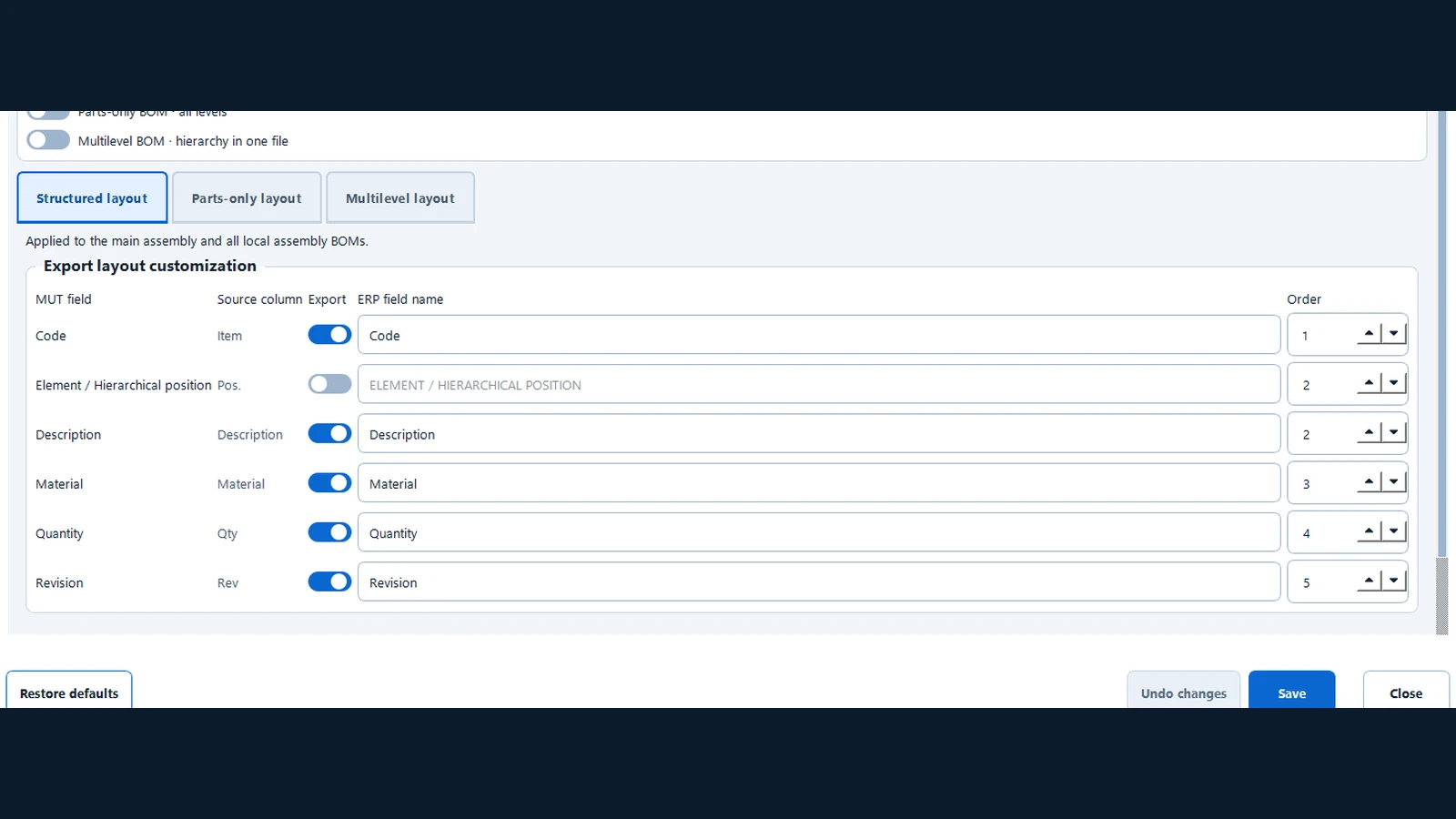
Custom BOM export
Choose the fields, headers and column order. MUT generates a new file from the checked BOM.
Find missing documentsMUT looks up drawings by part number and revision and flags missing files required by your company profile.
Essential information about how MUT fits into daily engineering work.
Have a specific case? Write to info@mutinspector.comNo. MUT checks the consistency of data exported by these tools before release to production.
Validation starts with the BOM and STEP model and can include the presence of PDF, DWG, DXF and additional STEP files required by company rules.
No. The Company Profile maps your actual BOM format and configures rules, categories, revisions and required documents.
MUT reads the original BOM during checks without changing it. STEP models and technical documents are opened read-only. Export creates a separate output file.
MUT works entirely offline. BOMs, STEP models and technical documents are processed on your PC. The software does not send them to external servers.
Complete the form and verify your email address to access the download. Your free 14-day MUT Inspector trial starts at first launch, with no automatic renewal.
Have your BOM, STEP model and any drawings you want to check ready.
Complete the form and verify your email address to access the download. Your free 14-day MUT Inspector trial starts at first launch, with no automatic renewal.
Free trial for businesses and professionals. No purchase, charge or automatic renewal.